How to download TikTok videos without watermark using TikClip
TikTok is a popular short-video social network with millions of new videos shared daily by users worldwide. However, the app's default download feature often includes a watermark that obscures the video content. This makes editing or resharing content on other social media platforms look unprofessional.
TikClip was created to overcome those limitations. This tool helps you download TikTok videos without watermarks or logos in the highest quality (HD or 4K). Download videos directly in your web browser without installing any software or extensions. Supports all devices from PC and iPhone to Android, completely free.
Follow these simple steps to download TikTok videos without watermark using TikClip:
Step 1: Get the TikTok video link
- Open the TikTok app or website.
- Select the video you want to download → Click the Share button → Choose Copy link.
Step 2: Access TikClip.app
- Use any browser such as: Chrome, Safari, Firefox, Edge...
- Access our downloader using this link: 👉 https://tikclip.app/en
Step 3: Paste and Download
- Paste the video link into the input box at the top of the page.
- Click the Download button to let the tool start extracting and displaying video information.
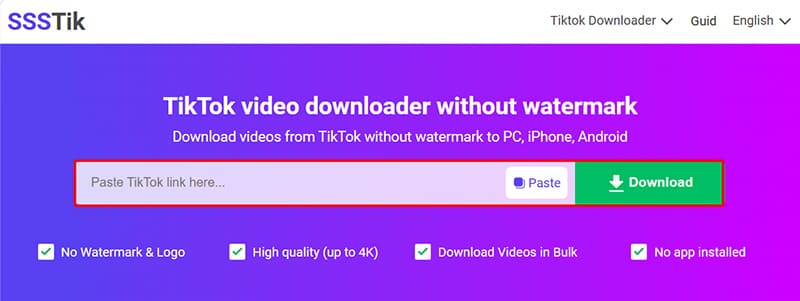
Step 4: Save the video to your device
- Select the video quality you want: HD or 4K.
- Wait a few seconds for the tool to finish, then download the file to your device.
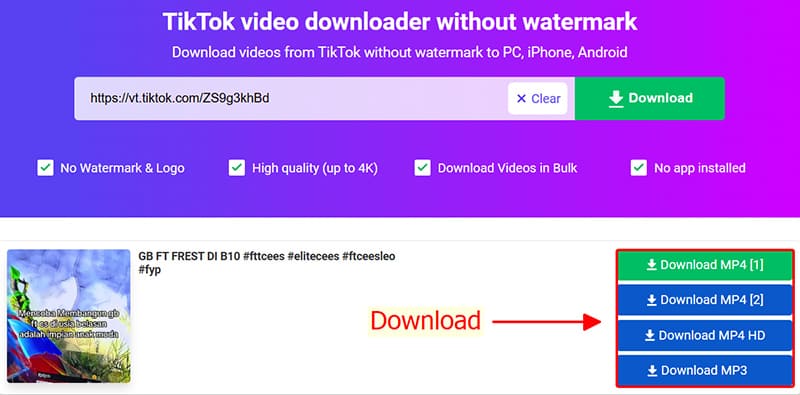
Important notes when using TikClip
- Multi-platform support: Works perfectly on Android, iOS, Windows, and macOS.
For Apple users (iPhone/iPad):
- Where are files saved? Downloaded videos are usually located in your browser's default Downloads folder. If you can't find them, check the Download history in your browser settings.
A note on content copyright
TikClip does not own or host any content. Please use downloaded videos for personal, non-commercial purposes only. If you wish to reuse or share content publicly, we strongly recommend obtaining permission from the original creator to respect intellectual property rights.